# Stock Transfer
##### Stock Transfers have been updated to improve stock movement management and provide better control over quantities, warehouse transfers, and related details, as well as to facilitate tracking and inventory management processes.
#### **Stock Transfer**
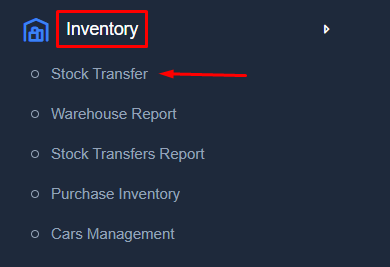
From the menu **Inventory** → **Stock Transfer**, select this option to create a new stock transfer or manage existing stock transfer records between warehouses.
[](https://kb.easifycloud.com/uploads/images/gallery/2026-04/ERTscreenshot-10.png)
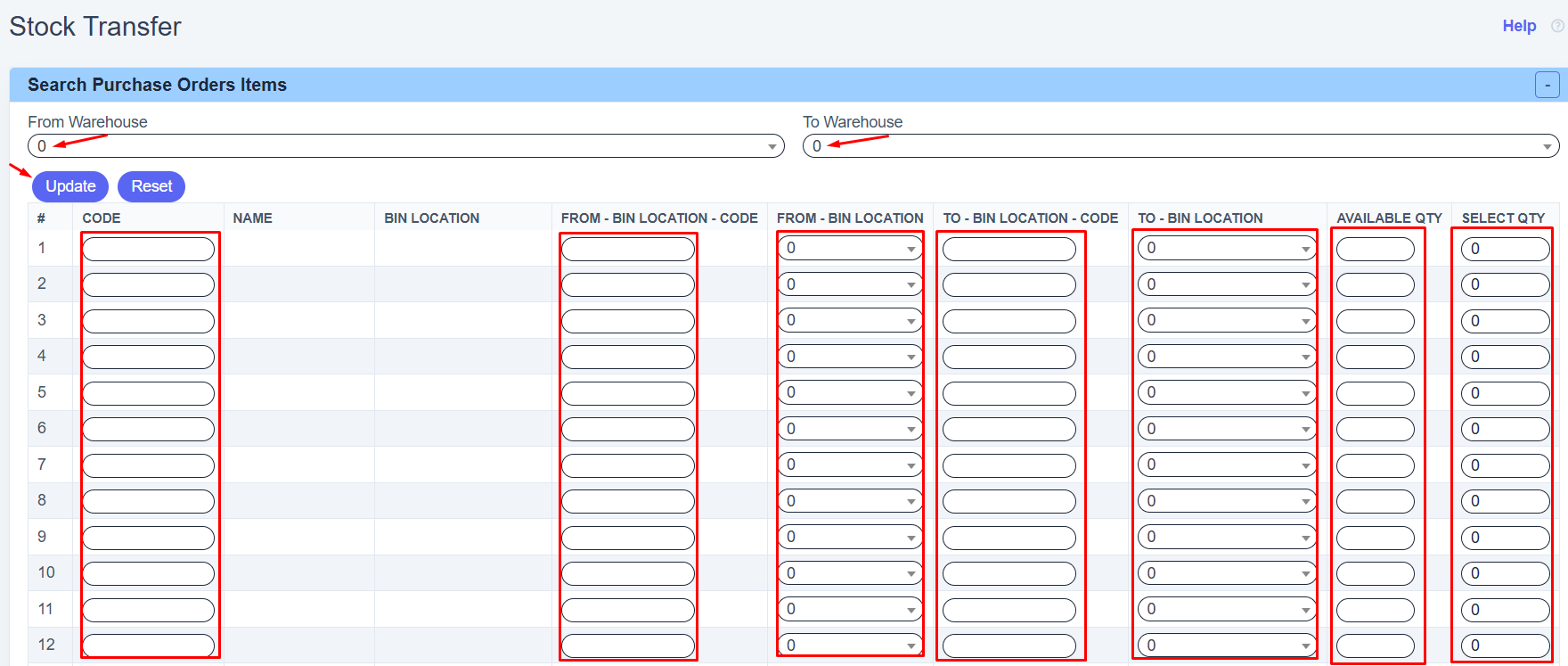
- Choose **From Warehouse** to select the warehouse where the items are currently stored.
- Choose **To Warehouse** to select the warehouse where you want to move the items.
- Enter the **Item Code** in the **CODE** field for the item you want to transfer.
- The item **Name** will appear automatically after entering the code.
- Choose the source shelf or storage place from **FROM - BIN LOCATION**, or enter its code if available.
- Choose the destination shelf or storage place from **TO - BIN LOCATION**, or enter its code if available.
- Check **AVAILABLE QTY** to see how many items are available in the source location.
- Enter the quantity you want to move in **SELECT QTY**.
- Repeat the same steps for any additional items you want to transfer.
- Click **Update** to complete the stock transfer.
- Click **Reset** to clear all fields and start again.
[](https://kb.easifycloud.com/uploads/images/gallery/2026-04/Rl0screenshot-11.png)
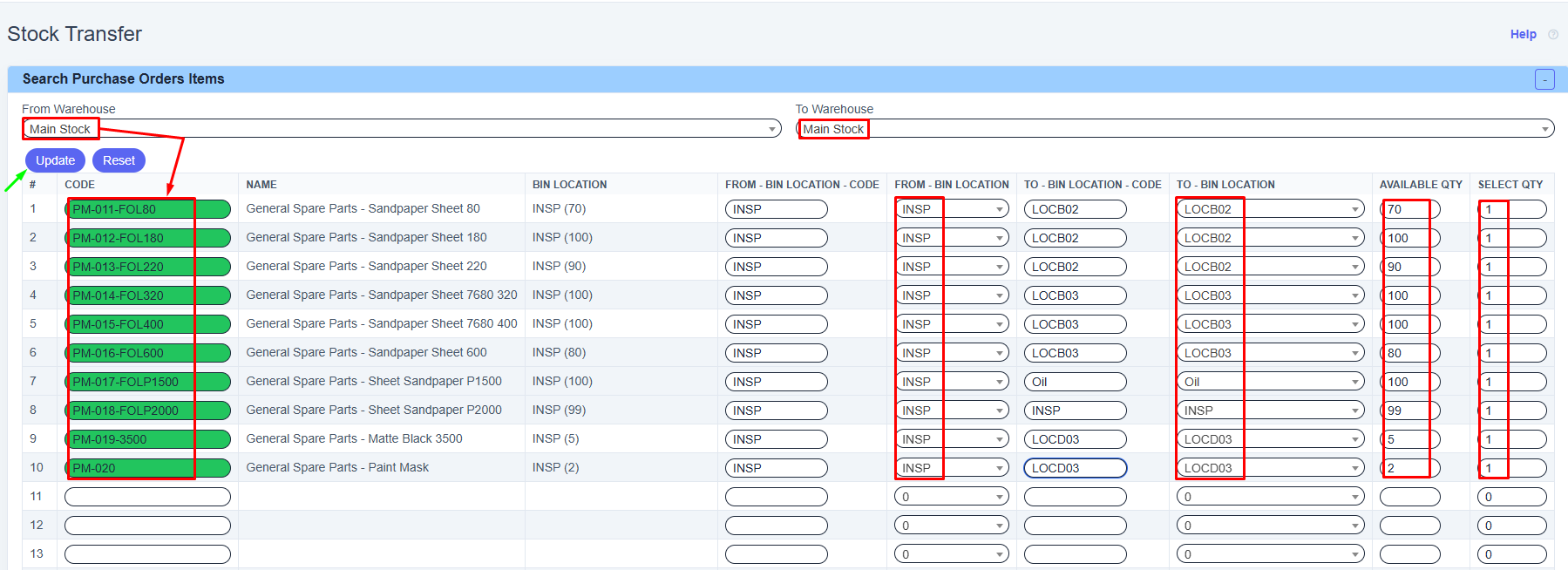
**Example in Stock Transfer**
[](https://kb.easifycloud.com/uploads/images/gallery/2026-04/screenshot-9.png)