Job Card Update to Quotation
The job card have been updated from using Job Cards Items to Quotations Items to have a better control over the amouts/Tax/Discounts ...etc.
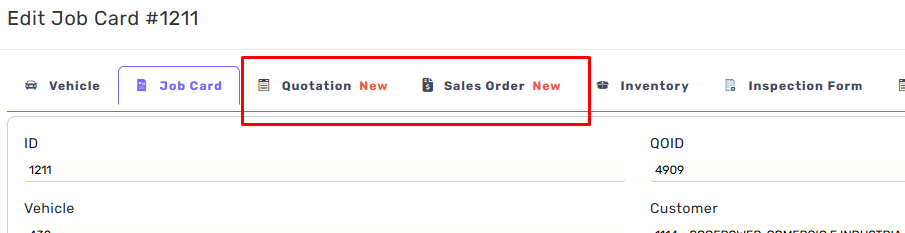
Quotation Tab and Sales Order Tab have been added to the Job Card Dialog
Labeled with New
No more adding items/services within the Job Items.
Read Only TAB
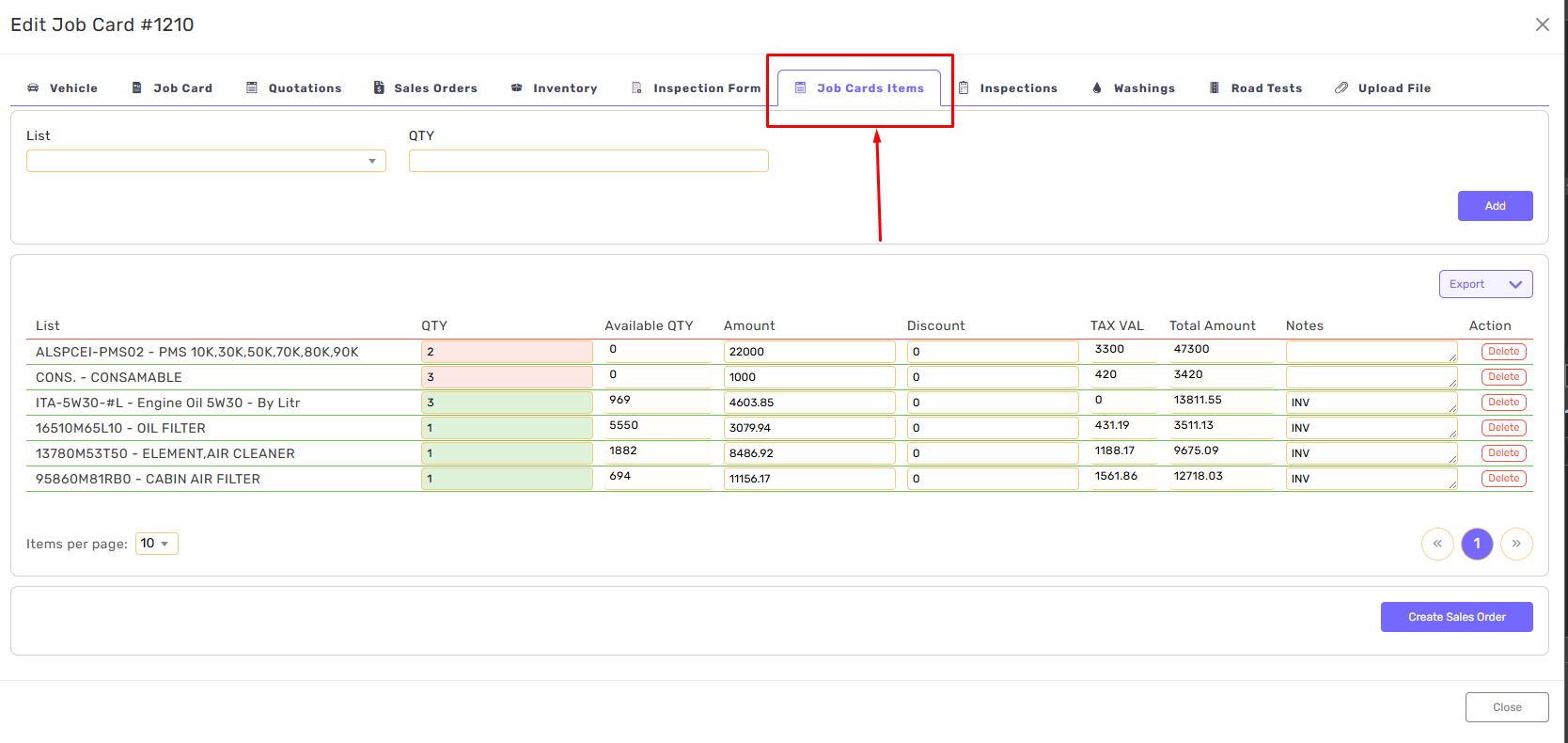
All Job Cards Items have been migrated to Quotations/Quotations Items.
All existing job cards have a linked Quotation with items
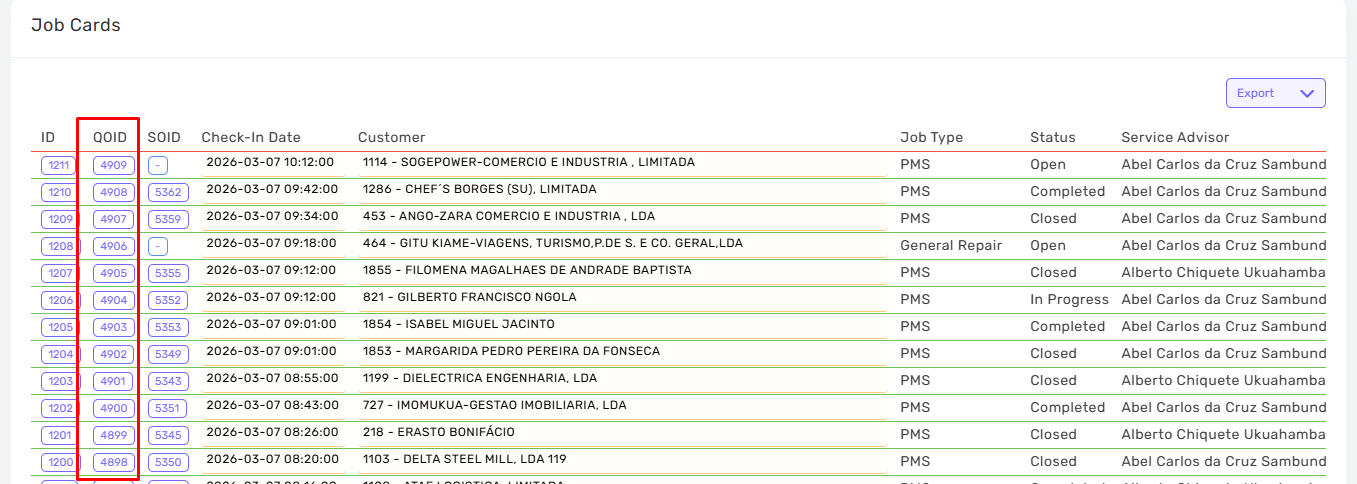
Step one in adding Items is createing Quotation for this Job Cars.
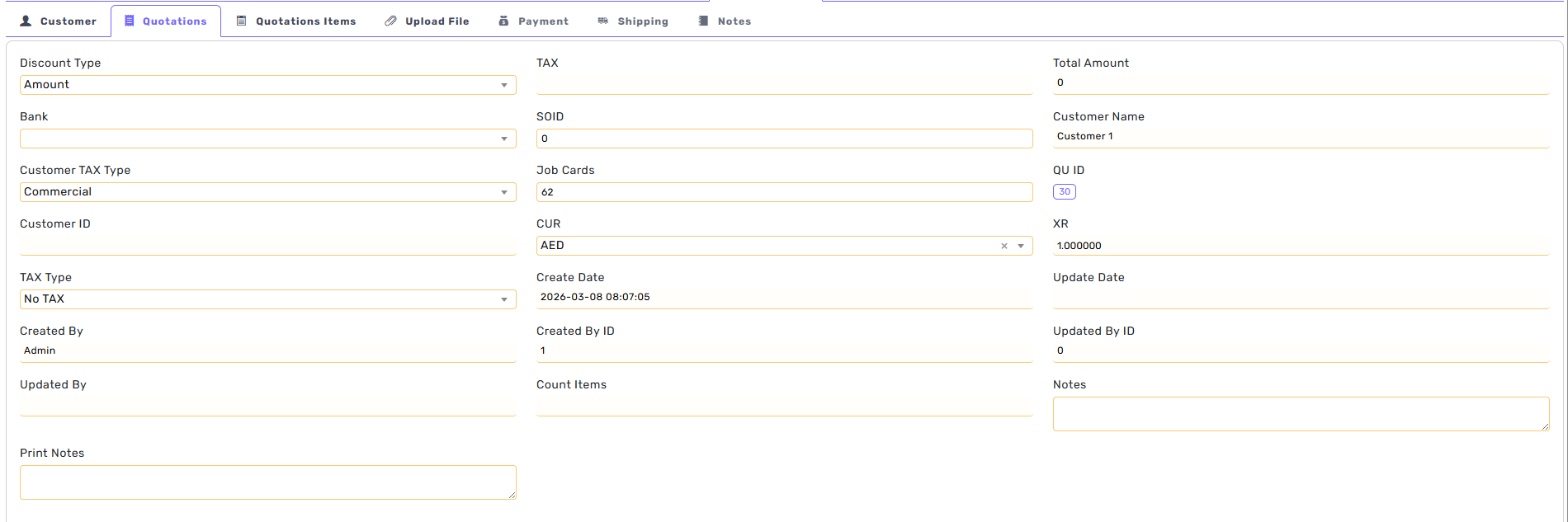
Click on Quotations then Create Quotation.

A new quotation will be added and linked to Job Card/Customer
This Quotation can be opened from the Old/New Systems
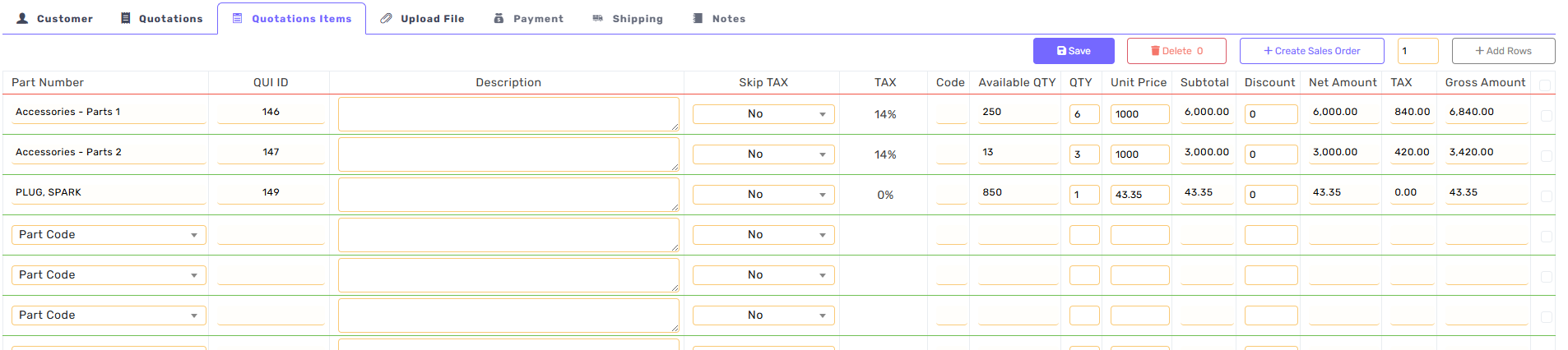
To add Items, click on Quotations Items.
Search for the part-number and add the quantity.
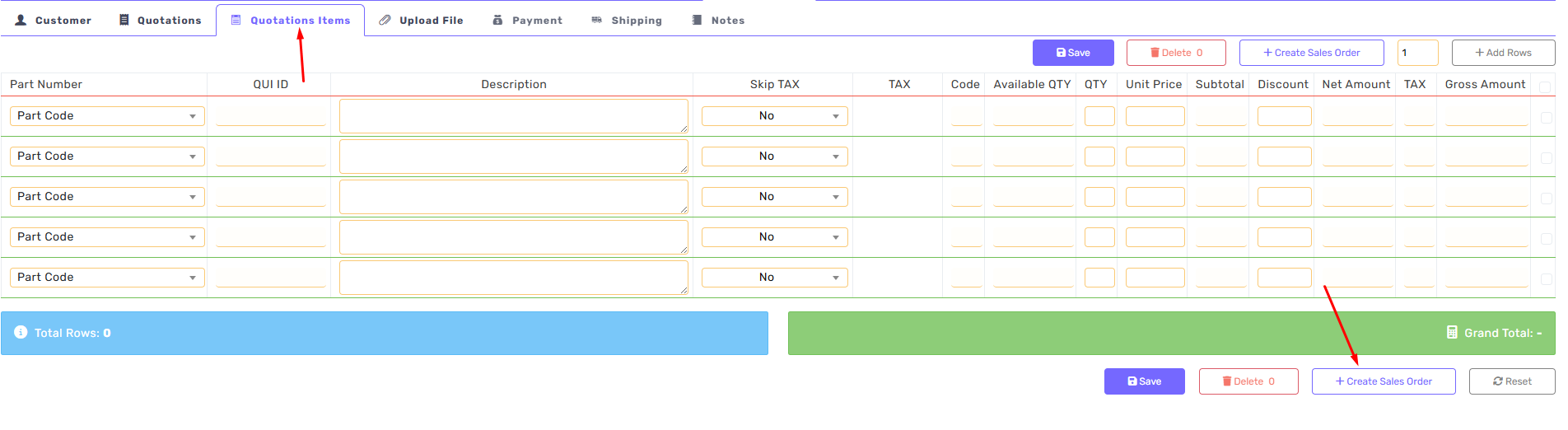
A Quotation can be converted to Sales Order.
From the Qutations Items Tab, click on Create Sales Order
Or Sales Order can be created directly

Add Good to Sales Order
Find the part number
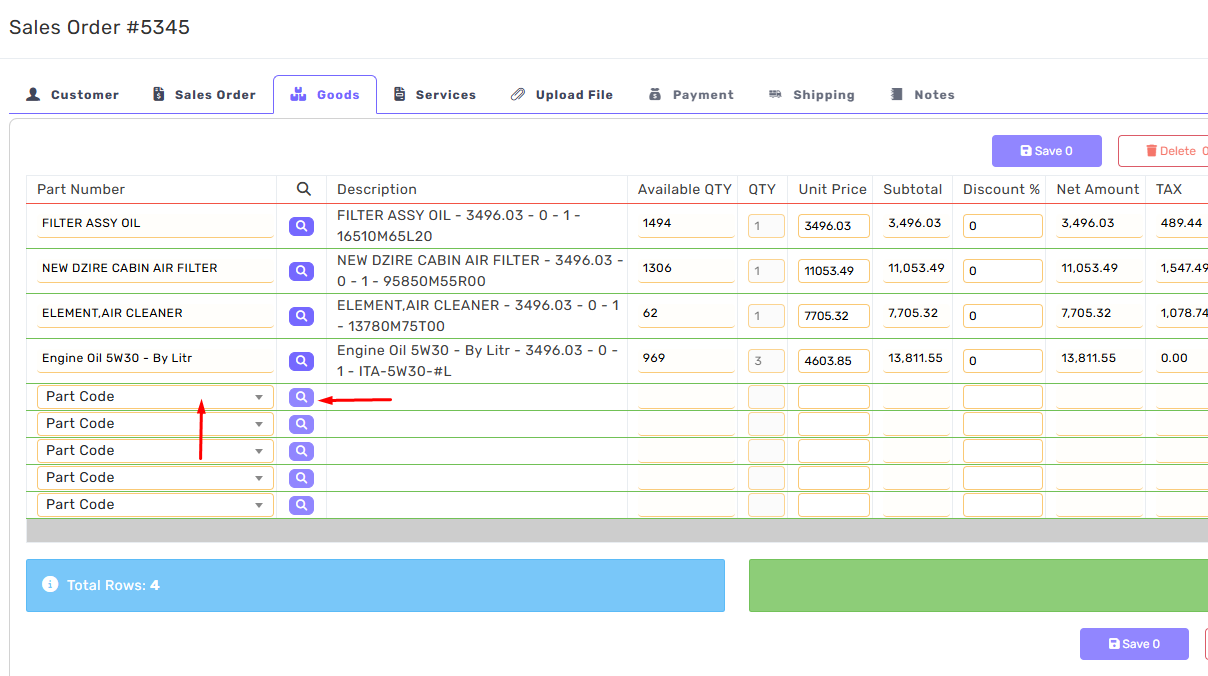
Click on the search icon
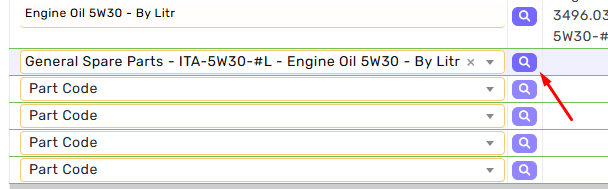
Find the items
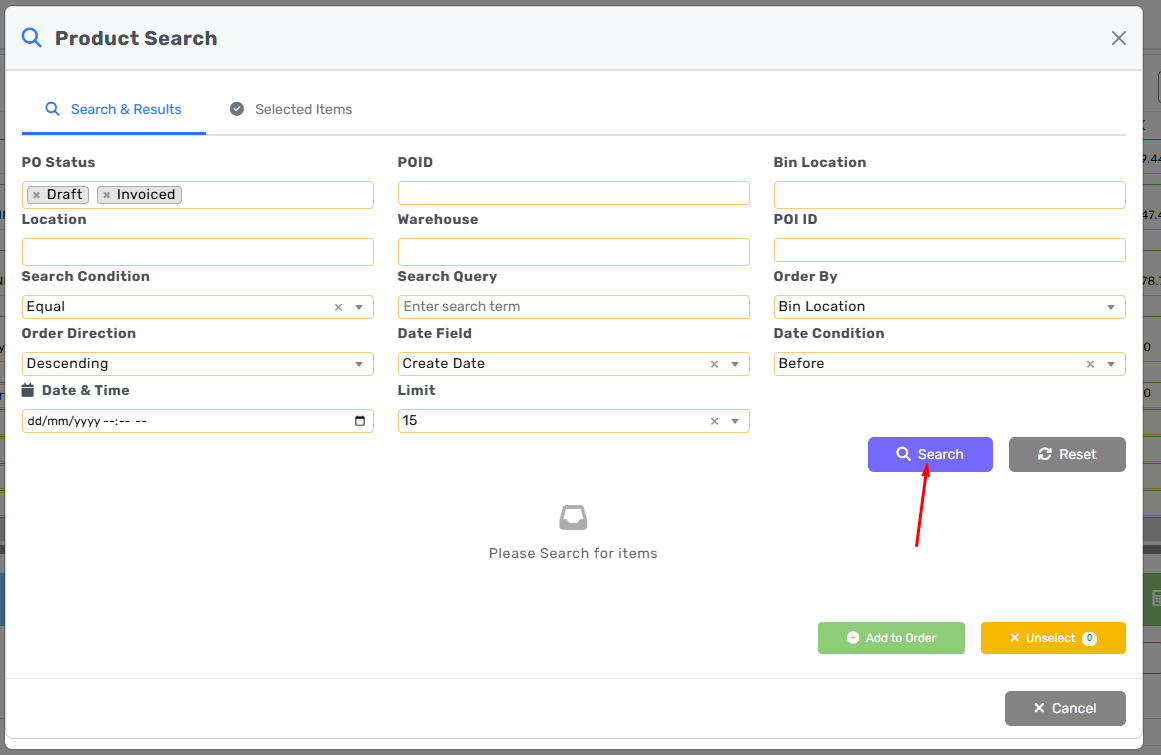
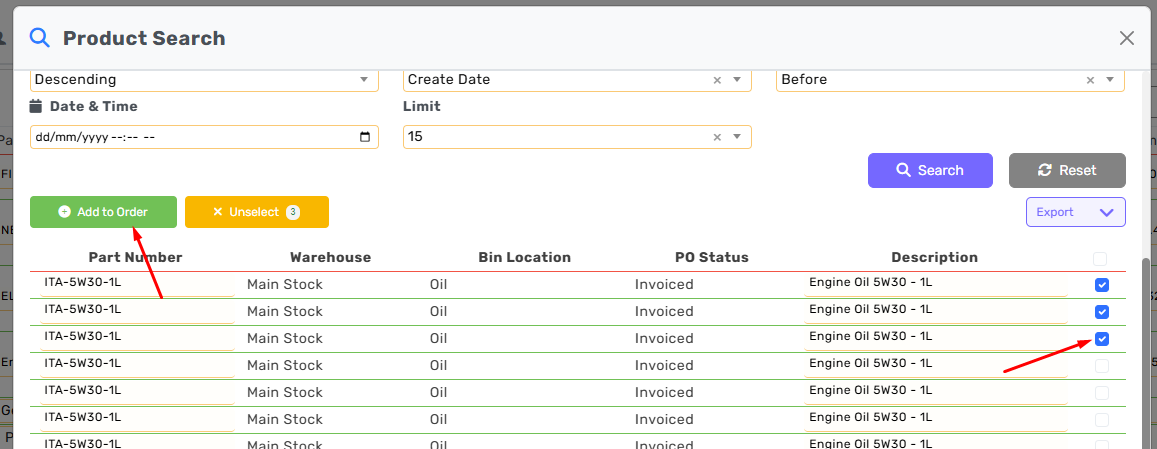
Select Items then click add to order